How Many Workstations Do You Need for Your Office?
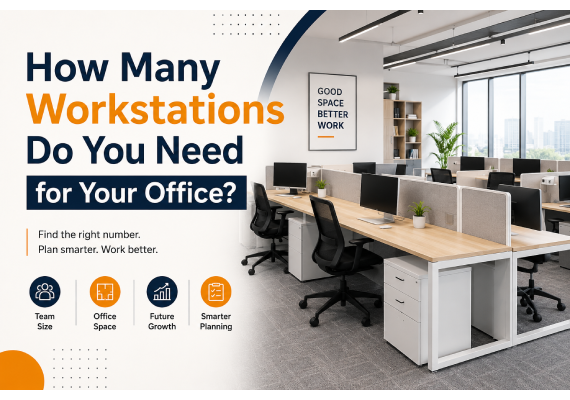
Planning an office is not simply about counting employees and buying the same number of desks. The right number of workstations depends on how your team works, how often employees are in the office, how much space they need, and how quickly your business may grow.
Too few workstations can create daily inconvenience, while too many can leave valuable office space unused. A smarter approach is to plan your workspace around actual working patterns.
Start With Your Team, Not Your Floor Plan
Before selecting office furniture, understand who actually needs a dedicated workspace.
A company may have 50 employees but not necessarily require 50 permanent workstations furniture. Some employees may work remotely, travel frequently, visit clients, or spend much of their day in meetings.
Create simple categories such as:
- Full-time office employees
- Hybrid employees
- Remote employees
- Field or travelling employees
- Managers and department heads
- Temporary or project-based employees
This gives you a more realistic picture of your workstation requirements.
Calculate Your Daily Workstation Demand
Instead of asking, “How many employees do we have?”, ask:
“How many employees are likely to work from the office on the busiest normal day?”
For example, imagine an organization with 60 employees:
- 35 employees work from the office every day
- 15 employees follow a hybrid schedule
- 10 employees regularly work remotely or travel
If most hybrid employees are not present at the same time, you may not need 60 dedicated desks.
However, you should plan for peak attendance rather than relying only on average attendance.
A Simple Planning Formula
Required Workstations = Peak Daily Office Attendance + Growth Buffer
The growth buffer can help accommodate new employees without forcing you to redesign the entire office within a few months.
Consider Different Types of Work
Not every employee needs the same workstation setup.
A designer may need a larger desk and additional monitor space. An accountant may require storage for documents. A sales employee may spend much of the day communicating with customers. A manager may need a combination of focused workspace and meeting space.
Therefore, workstation planning should consider:
Job role + equipment + storage + movement + collaboration
This is why blindly purchasing identical desks for every employee may not always be the most efficient solution.
Don't Forget About Shared Workstations
Shared workstations can be particularly useful for businesses with hybrid or flexible teams.
Instead of assigning one desk permanently to one person, employees can use available workstations based on their office schedule.
This approach can help businesses:
- Reduce unused desk space
- Improve office space utilization
- Support hybrid working
- Create a more flexible workplace
- Accommodate changing team sizes
However, shared workstations work best when supported by clear desk policies, storage solutions, and an organized booking system.
Leave Room for Collaboration
One common office-planning mistake is using every available square foot for desks.
An office needs more than individual workstations.
Employees may also require:
- Meeting rooms
- Collaboration areas
- Private discussion spaces
- Break areas
- Reception space
- Storage
- Walkways
- Printer and utility areas
A workspace packed with desks may technically accommodate more employees, but it can make the office feel uncomfortable and restrict movement.
Good office planning balances individual productivity with collaboration.
Think About Desk Arrangement
The number of workstations is only one part of the equation. Their arrangement can significantly affect how the office functions.
Depending on your workplace, you could consider:
Linear Workstations
Employees sit side-by-side in rows. This can work well when teams require individual focused work and easy supervision.
Clustered Workstations
Several desks are grouped together to create team zones. This is useful for departments that frequently communicate with one another.
Bench Workstations
Multiple employees share a continuous workstation structure. Bench-style layouts can make efficient use of floor space while maintaining a modern appearance.
Private Workstations
Individual desks with partitions or enclosed areas can provide additional privacy for employees handling confidential information or requiring focused work.
The best arrangement depends on your team's daily activities rather than simply the appearance of the office.
Plan for Tomorrow's Employees
Your office may have 30 employees today and 45 next year.
If your workstation plan uses every available space today, future expansion could become expensive and disruptive.
Consider keeping some flexibility for:
- New hires
- Department expansion
- Temporary project teams
- Additional equipment
- Changes in working patterns
A modest growth buffer can make your office much easier to manage as the business develops.
Measure Before You Buy
Never finalize workstation quantities based only on employee numbers.
Measure the available office area and identify:
- Usable floor space
- Doors and entrances
- Windows
- Columns
- Electrical points
- Network connections
- Storage requirements
- Emergency exits
- Walkway requirements
Then create a preliminary layout to determine how many workstations can realistically fit without compromising employee comfort or accessibility.
The Right Number Isn't Always the Maximum Number
It can be tempting to maximize the number of desks because more workstations appear to mean better use of office space.
But an efficient office is not necessarily the one with the most desks.
A well-planned workspace should allow employees to sit comfortably, move easily, focus on their work, communicate with colleagues, and access the equipment they need.
The goal should be to achieve the right balance between capacity, comfort, productivity, and flexibility.
A Practical Example
Suppose your company has 40 employees.
After reviewing attendance patterns, you find that:
- 25 employees are consistently in the office
- 8 employees follow hybrid schedules
- 7 employees are usually remote or travelling
Your peak attendance may be around 32–34 employees.
Rather than automatically installing 40 permanent workstations, you could consider a flexible layout with approximately 35 workstations, depending on expected growth and the availability of shared desks.
This could free up space for meeting areas, collaboration zones, storage, or future expansion.
Questions to Ask Before Ordering Workstations
Before placing your furniture order, ask:
- How many employees are physically present on our busiest normal day?
- Which employees require dedicated desks?
- How many employees follow hybrid schedules?
- What equipment does each department use?
- Do employees need individual storage?
- How much space should be reserved for meetings and collaboration?
- Are we expecting to hire more employees?
- Can some workstations be shared?
- Does the proposed layout provide comfortable movement?
- Can the office adapt if our working model changes?
These questions can prevent unnecessary furniture purchases and help create a workspace that works for your business.
Build an Office That Can Adapt
Workplaces are changing. Hybrid teams, flexible schedules, collaborative projects, and technology-driven work have made traditional one-desk-per-employee planning less relevant for many organizations.
The ideal workstation count should therefore reflect how your employees work today while leaving enough flexibility for tomorrow.
Whether you're setting up a small startup office, expanding an established business, or redesigning an existing workplace, thoughtful workstation planning can help you make better use of your available space.
Key Takeaways.
Don't start with “How many desks can fit?” Start with “How does our team work?”
Once you understand your team's attendance, roles, equipment, collaboration needs, and future growth, determining the right number of workstations becomes much easier.
A well-planned office isn't just about fitting more people into a room. It's about creating a workspace where people can work better.